
Create and schedule a post
Write one post for several channels, adjust it per network, and choose when it goes out.
The composer is where every post starts. You write it once, pick the channels, and eksis checks it against each network before it lets you schedule.
Open the composer
- Create post at the top of the sidebar, or press C anywhere in the app.
- + next to a channel in the sidebar (New post) opens the composer with that channel already picked.
- On the calendar, select an empty time to start a post at that time.
- On an idea in Create Idea, choose Create post to start from the idea.
Write and schedule
Pick the channels
Add the channels the post goes to. You can search them by name.
Write the caption and add media
The caption under All channels applies to every channel. Add images or a video in the same place. The preview shows how the post will look on the selected network.
Adjust it per channel
With more than one channel, a tab appears for each. On a channel's tab you can write a caption just for that account and fill in what that network asks for. A tab with something missing is flagged.
Fix what eksis flags
eksis checks the post as you type. An error blocks scheduling, and Fix next to it takes you to the field. A warning does not block.
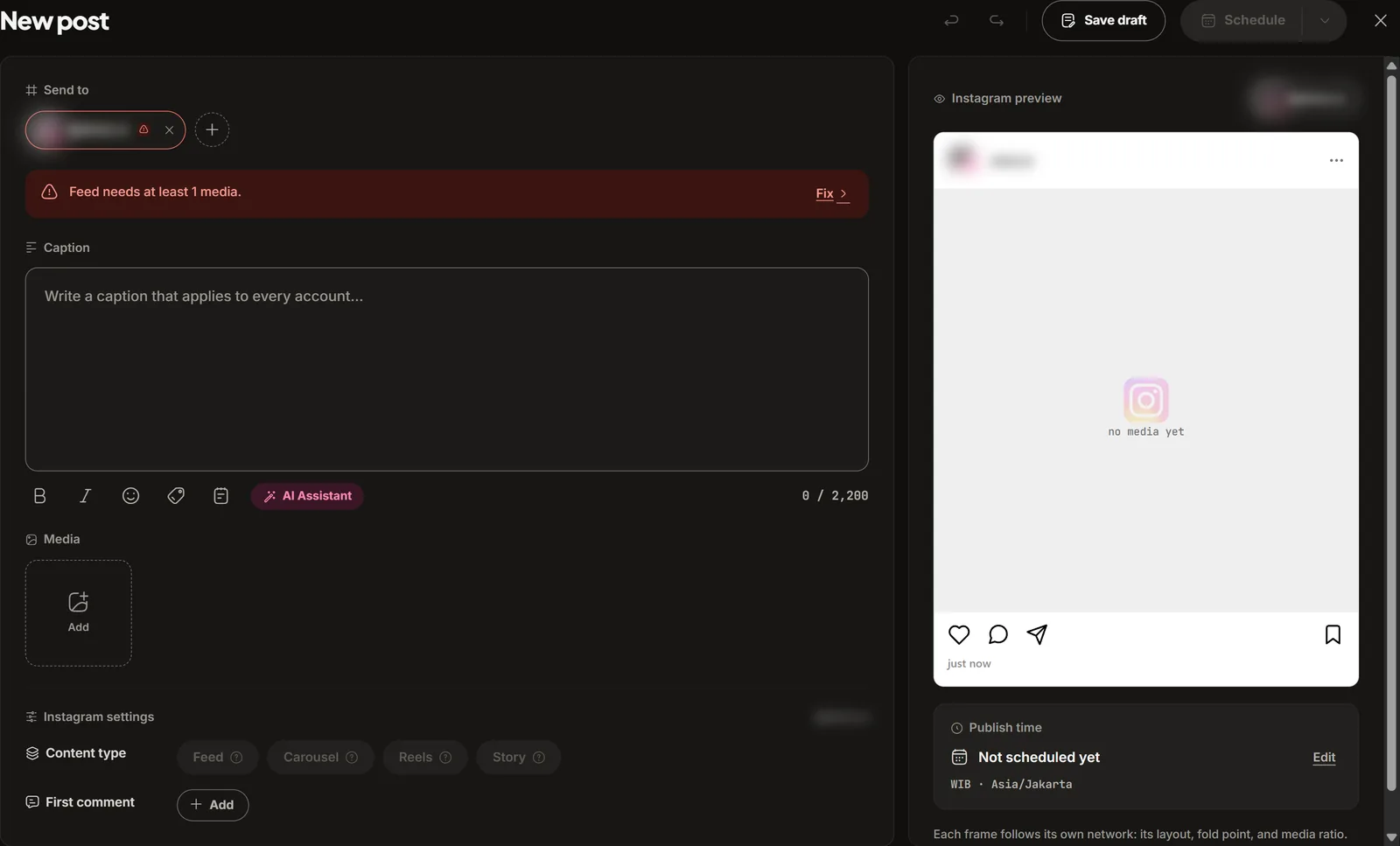
Choose when it goes out
Choose Schedule to pick a date and time. The menu on the same button has three more options:
- Publish now: sends it straight away, without waiting for a schedule.
- Schedule a time…: pick a date and time.
- Add to queue: puts it in the next open queue slot of each channel. See Calendar and queue.
Save draft keeps it unpublished, and you can come back to it later.
After Publish now, a notice follows the post until it is live on every channel, or tells you which channel did not go out and why.
What each network asks for
| Network | Options on its tab |
|---|---|
| Post type (feed, carousel, reels, story) and crop | |
| Post type (post, photo, reels) | |
| YouTube | Title (required), audience (required), privacy, category, thumbnail |
| Threads | Who can reply |
| TikTok | Who can watch this (required), commercial content, comments, Duet, and Stitch |
| Post the photos as a PDF document | |
| X | Who can reply |
| Bluesky | Who can reply, allow quote posts |
| Board (required), Pin title, destination link, alt text | |
| DEV Community | Article title (required), tags, series, canonical URL, save as a draft on DEV |
The network pages under Connect a channel explain these options, and Platform specifications lists file sizes and text lengths.
Good to know
- Every time follows the workspace time zone, set under Settings, General, Time zone. eksis refuses a time that has already passed.
- If you close the composer without saving, eksis asks "Resume unfinished post?" the next time you open it. Choose Resume post to continue or Discard to start fresh.
- Free workspaces can schedule 15 posts a month. Paid plans have no monthly cap.
- A post over a network's daily limit is not lost. It waits until there is room, and eksis tells you the new time.
- A post that is publishing right now cannot be changed. A published post cannot be deleted from eksis: delete it on the network.
- If your role is Contributor, scheduling sends the post for approval instead. See Post approval.
- Posts can also start in an AI assistant. See the MCP server.