
Connect an Instagram Business or Creator account.
A connected Instagram account can publish feed posts, carousels, reels, and stories, and its comments and direct messages arrive in the inbox.
Before you start
- The account has to be Business or Creator. Personal accounts cannot be connected. Switch the account to Creator in the Instagram app first (how to change it).
- To connect through a Facebook Page, the Instagram account has to be linked to a Page you manage.
Connect
Open the dialog
Select + next to Channels in the sidebar, then choose Instagram.
Choose how eksis signs in
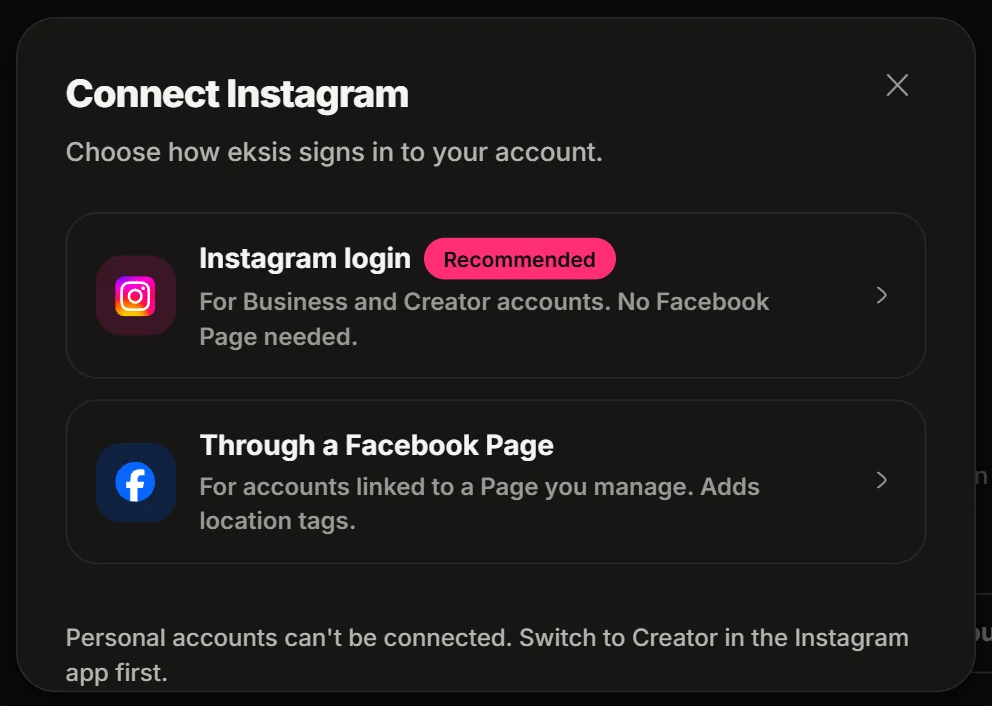
The Connect Instagram window offers two ways:
- Instagram login: for Business and Creator accounts, no Facebook Page needed.
- Through a Facebook Page: for accounts linked to a Page you manage. This way also adds location tags.
If one of them reads Coming soon, use the other.
Sign in and approve
Log in to the account you want to connect and approve every permission.
Pick the accounts
Tick the account on Pick the accounts to connect and choose Connect. The channel appears in your sidebar.
If it does not connect
| Message | What to do |
|---|---|
| This Instagram account is still Personal | Switch it to Creator or Business in the Instagram app, then connect again. |
| You do not manage any Page | The Facebook Page way needs a Page. Create one, ask its owner for admin access, or use Instagram login. |
| No accounts available to connect | Check that you manage at least one Facebook Page and that the Instagram account is Business or Creator. |
| Permission denied | Start again and approve every permission. |
Good to know
- Instagram has no API for liking comments, so likes stay in the Instagram app. Replying, hiding, and deleting work from the inbox.
- A direct message can only be answered within 24 hours of the person's last message. A comment can get one private reply by DM, within 7 days of the comment.
- On Free, eksis publishes up to 25 posts per account in any 24 hours. On paid plans Instagram's own limit of 100 applies.
- Media rules per post type: Instagram specifications.