
Analytics
Read how each post and channel did, export the numbers, and share a report.
Analytics in the sidebar shows reach, engagement, and follower growth for your channels. It starts on Starter. On Free, the screen shows what the plan would open instead of numbers. Everyone in the workspace can read it, viewers included.
Read the overview
Pick a period at the top: 7 days, 30 days, or 90 days. Each summary number is compared with the previous period of the same length.
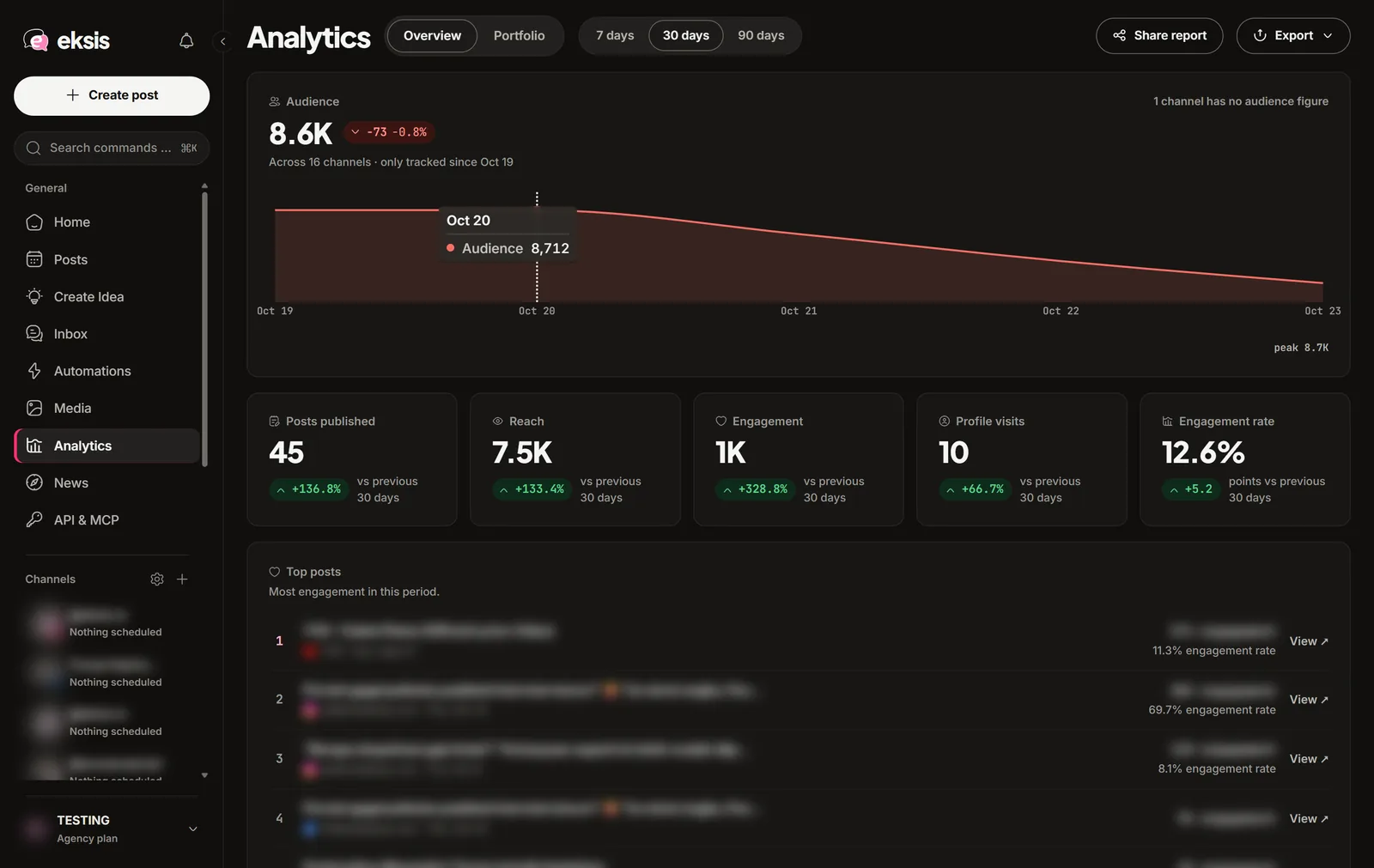
- Post performance: reach, engagement, profile visits, and engagement rate for each post in the period. Sort by any column. Posts you published from the network's own app count too.
- Audience: followers per channel, in each network's own word (followers, subscribers), and how much the number moved.
- Best hours to post: worked out from your own posts. Faded bars come from a single post, too few to judge.
- Top posts: the posts with the most engagement in the period.
- The automation funnel: how many automations triggered and how many completed.
To look at one channel, select Insights under it in the sidebar. The screen reads "Filtered to" and the channel name, and Show all channels goes back.
Export
Choose Export to download the current view as CSV: Summary, Posts, Channels, Daily followers, or Hours. Excel workbook puts all five tables in one file as separate sheets, with charts, and opens in Excel and Google Sheets. The file follows the period and channel filter on screen, and the post list holds the 200 most recent posts of the period.
Share a client report
On Agency, Share report creates a link to the current view. Anyone with the link can see that period and those channels until the date shown in the dialog, without an eksis account. Choose Copy link to send it.
Portfolio
The Portfolio view builds a public page with your channels' numbers, a name, and a bio, for example to show brands you work with. Switch the page on, pick the channels, and copy its link. Anyone with the link can see it without an eksis account.
Why a number is missing
eksis leaves a cell empty rather than guess:
- The network does not report that number to apps. LinkedIn, for example, only shares post statistics with apps approved for its Community Management API.
- The post was published a moment ago and the numbers are still syncing.
- The post was removed from the network, or it is private there.
- The channel needs reconnecting. Numbers resume once it is connected again.
Numbers usually arrive within an hour of publishing. New posts refresh often, then less often as they age, and eksis stops updating a post 30 days after it went out.