
Bluesky
Connect a Bluesky account with your handle and an app password.
A connected Bluesky account can publish text, photo, and video posts, and replies to it arrive in the inbox. Bluesky has no sign-in screen for outside apps, so you connect with an app password instead of your real password.
Create an app password
- In Bluesky, open Settings, then Privacy and security, then App passwords.
- Add a new app password and give it a name, such as eksis.
- Leave "Allow access to your direct messages" unchecked. eksis never reads Bluesky messages.
- Copy the password. It looks like
xxxx-xxxx-xxxx-xxxx.
Connect
Open the dialog
Select + next to Channels in the sidebar, then choose Bluesky. The Connect Bluesky form opens in the dialog.
Enter your details
Type your Handle, for example yourname.bsky.social (your own domain works too), and paste the App password.
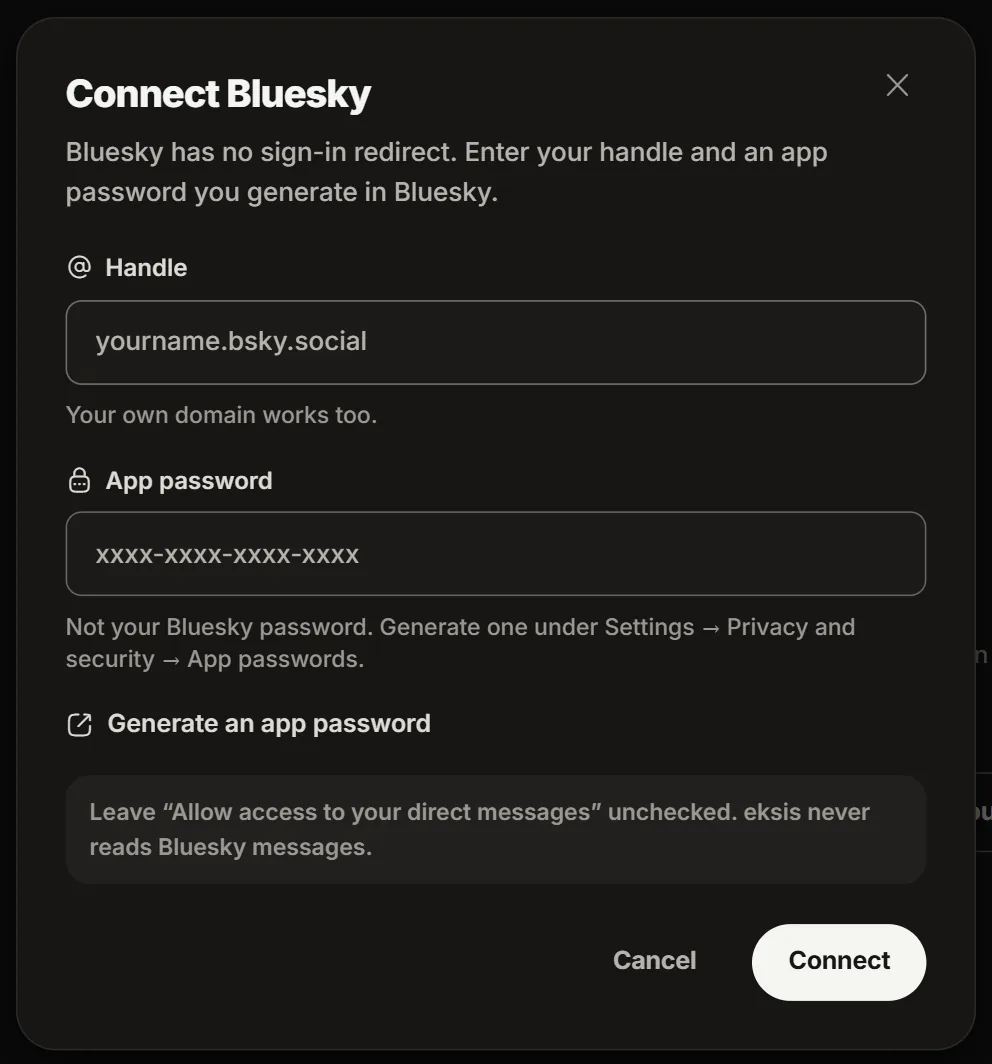
Connect
Choose Connect. eksis says the handle is connected, and the channel appears in your sidebar.
If it does not connect
| Message | What to do |
|---|---|
| That does not look like an app password | Paste the app password, not your Bluesky password. It has the xxxx-xxxx-xxxx-xxxx shape. |
| Could not connect Bluesky | Check the handle, create a new app password, and try again. |
Good to know
- In the composer, Who can reply and Allow quote posts apply to the post. Bluesky caps a post at 300 characters and 3,000 bytes.
- From the inbox you can answer, like, and hide replies. Bluesky lets an account delete only its own posts.
- Deleting the app password in Bluesky disconnects eksis.
- On Free, eksis publishes up to 300 posts per account in any 24 hours.
- Media rules: Bluesky specifications.