
Automations
Reply, like, hide, or send a DM when a comment or message arrives, with limits that keep it safe.
An automation watches a channel and acts when something happens: a new comment, a comment with a keyword, a DM, or a story reply. It can answer in public, send a DM, tag the person, or hand the conversation to a teammate.
Only owners and admins can create or change automations. Free workspaces can have 1 active automation, and paid plans have no limit.
Start from a template
Open Automations in the sidebar and choose Browse templates. These are ready to use:
| Template | What it does |
|---|---|
| Price question → DM | Answers a price question in public, then sends the price list by DM |
| Link request → DM | Answers once in the comments and once in the person's inbox |
| Welcome a first-time DM | Answers the first message from someone new straight away |
| Hide spam comments | Hides the usual promo comments before anyone reads them |
| Thank story repliers | Thanks people who reply to your story |
| Like every comment | Likes each new comment |
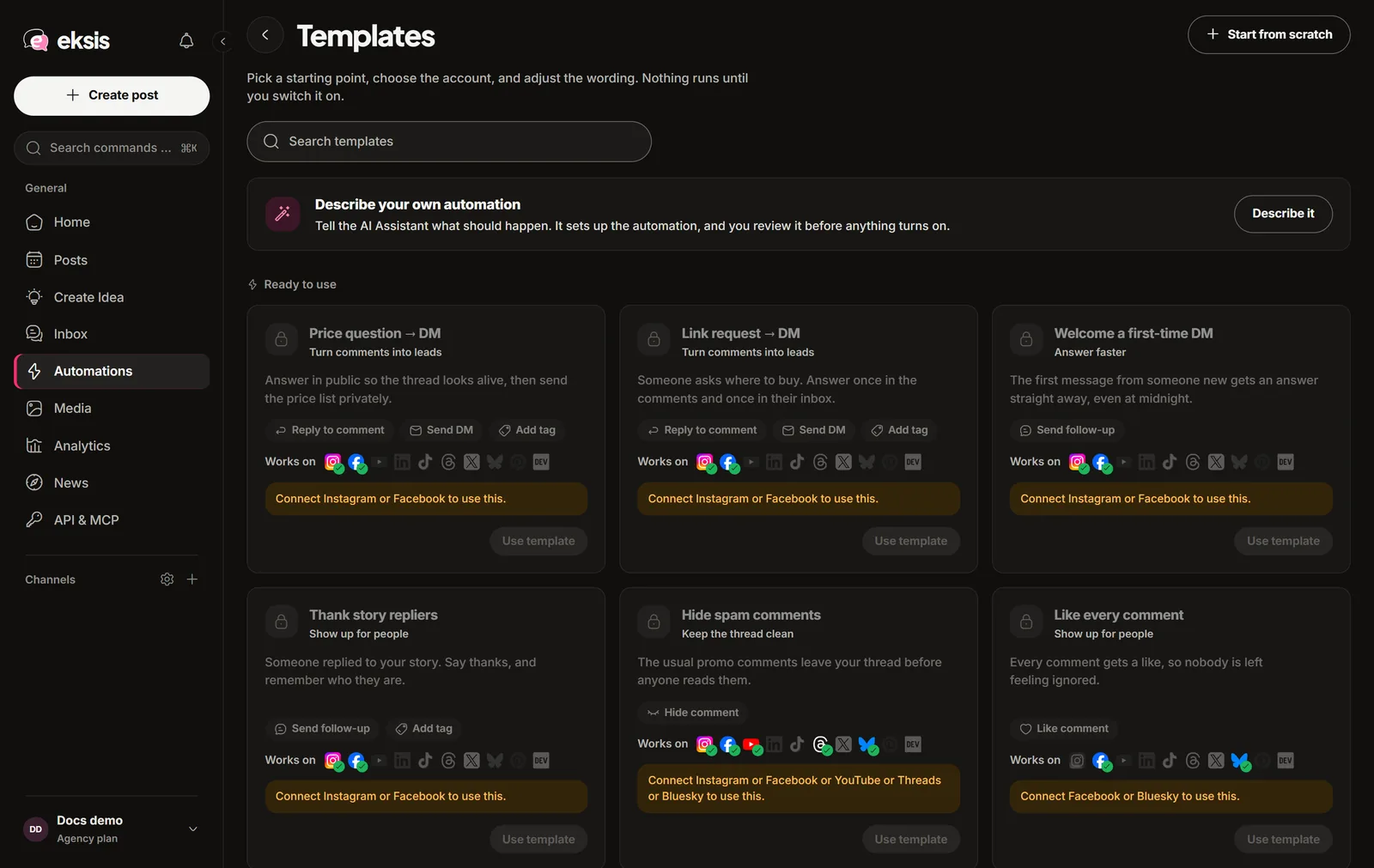
Choose Use template. It opens as a draft: pick the account and check the wording before you switch it on. Templates your team saved appear under Saved by your team.
To build one from a description instead, choose Create with AI and tell the AI Assistant what should happen. Each message to it uses one AI request, and nothing turns on until you save. Create automation starts from a blank one.
Build an automation
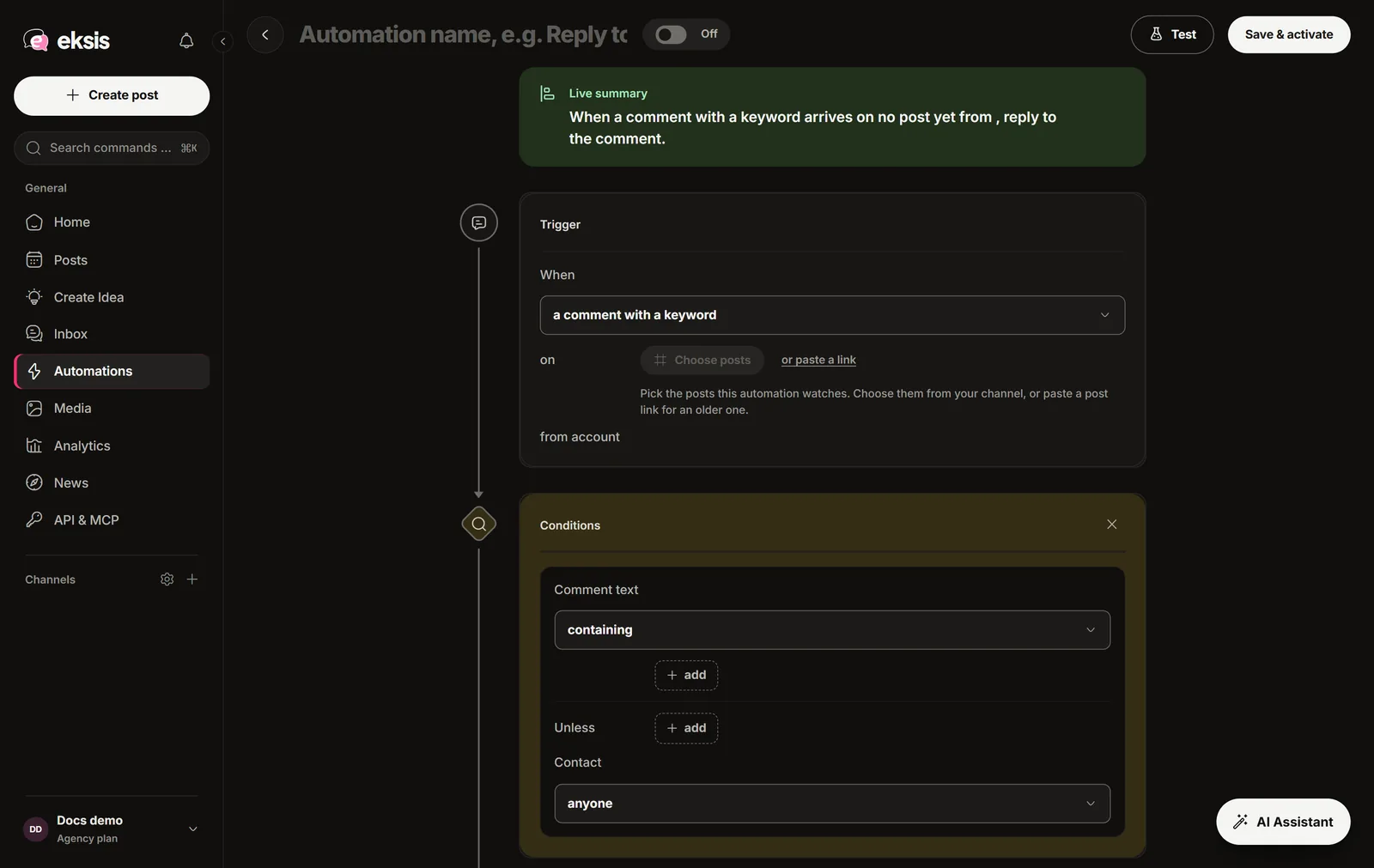
Trigger
Pick what starts it: a new comment, a comment with a keyword, a DM, a DM with a keyword, or a story reply. A comment trigger needs at least one post to watch.
Conditions
Optional filters, such as words that must or must not appear, first-time or returning contacts, and active hours.
Do this
The actions, in order: Reply to comment, Like comment, Hide comment, Delete comment, Send DM, Send follow-up, Add tag, Assign to teammate, or Wait. In reply and DM text, {name} becomes the person's name. Write {Hi|Hey} to let eksis pick one of the words at random.
Guardrails
The safety limits. Change them here if you need to (see below).
Test, then save
Choose Test, write a sample comment, and run it. eksis shows whether the automation would run, which step stops it, and the exact replies. Nothing is actually sent. Then choose Save & activate, or Save as draft to keep working.
Limits that are on by default
- A comment triggers an automation only once.
- One person gets at most 1 automated DM per day.
- An automation runs at most 60 actions an hour. Anything over that is skipped, not saved for later.
- Quiet hours are off until you set them.
What each network allows
- DMs can only be sent on Instagram and Facebook. A DM that answers an Instagram comment is a private reply: one per comment, within 7 days.
- On X, automations do not reply, like, or hide, because X bills every request and an automation runs unattended.
- On YouTube, eksis does not delete comments automatically. Hide them instead.
- TikTok, LinkedIn, and Pinterest give outside apps no access to comments or DMs, so there is nothing to automate there.
The builder switches off any action an account cannot do and says why.
Good to know
- A comment answered by an automation reads "Answered by automation" in the inbox, so your team does not answer it twice.
- View history on an automation shows what triggered it and what it sent.
- Turn every automation off on the Automations screen stops all of them in the workspace at once.